You're staring at a blank storefront, a deadline is already real, and the fastest path isn't building every product card, filter, and checkout screen by hand. That's where bootstrap free templates ecommerce work best. A good Bootstrap template gives you the grid, nav, product blocks, and responsive structure so you can spend your time on brand, catalog logic, payments, and content instead of wrestling with scaffolding.
The hard part isn't finding a free template, it's picking one that won't become a maintenance headache later. The free ecosystem is deep, with collections that range from 60 free Bootstrap eCommerce templates in Colorlib's 2026 roundup to 118+ in TemplateMonster, 60 on ThemeWagon's tag page, and 175+ free Bootstrap templates overall at BootstrapMade, which shows how much choice teams really have when they're prototyping storefronts (Colorlib's 2026 template roundup, BootstrapMade's template library). The practical question is never “Is there a free template?” It's “Which one matches the amount of customization I can afford?”
Table of Contents
- 1. Start Bootstrap – Shop Homepage (Bootstrap 5)
- 2. Colorlib – ColoShop
- 3. Colorlib – Fashe free HTML version
- 4. Untree – eStore
- 5. Untree – Furni (Bootstrap 5)
- 6. ThemeWagon – Booksaw (Bootstrap 5)
- 7. ThemeWagon – Majestic (Bootstrap 5)
- 8. TemplatesJungle – Kaira Bootstrap 5 Fashion Store
- 9. GrayGrids – ShopGrids Bootstrap 5 eCommerce UI Kit and Template
- 10. HTML Codex – Bootstrap Shop Template EShopper
- Top 10 Free Bootstrap eCommerce Templates Comparison
- From Template to Live Store Your Next Steps
1. Start Bootstrap – Shop Homepage (Bootstrap 5)
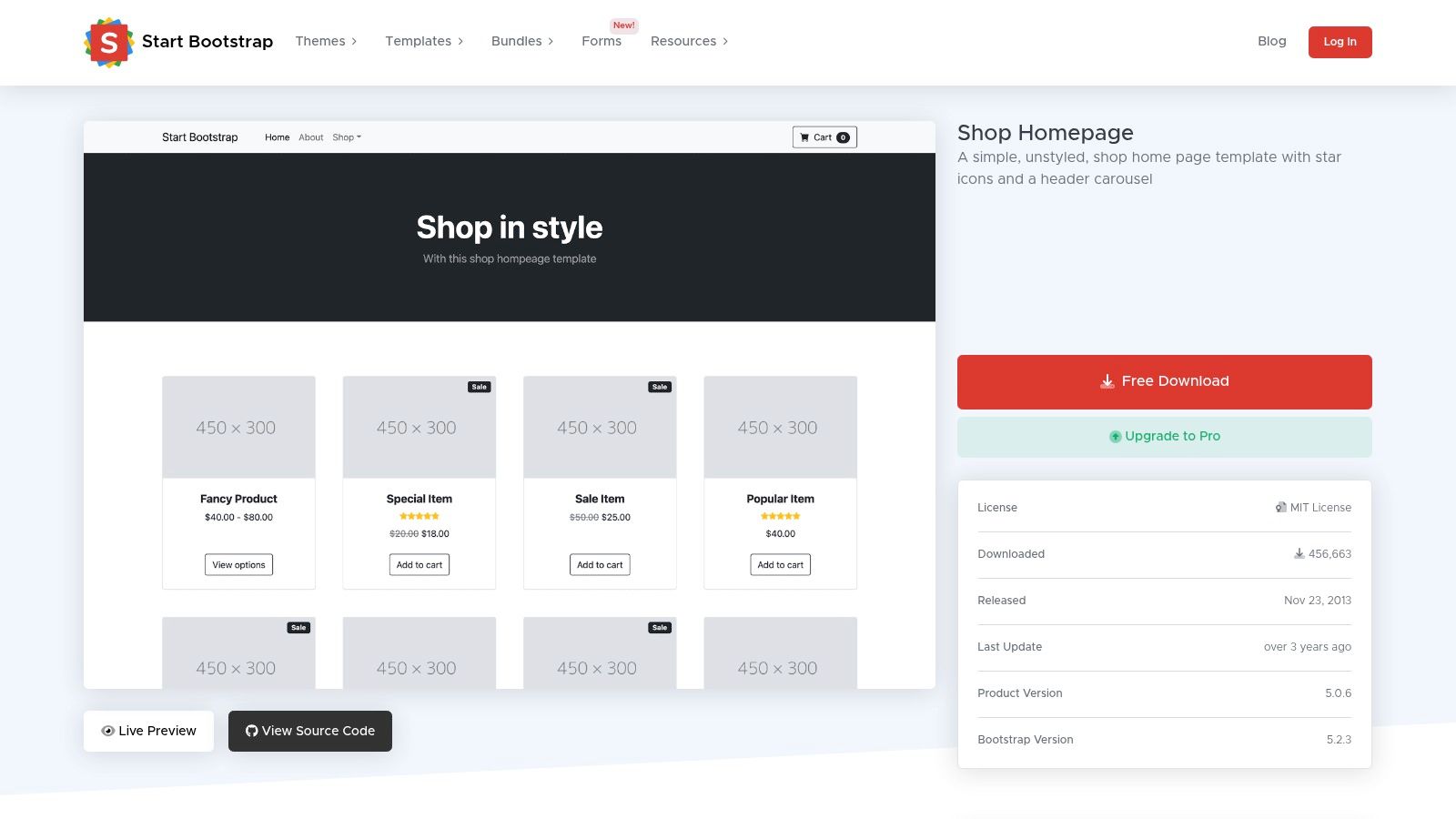
This is the cleanest answer when you need a rapid prototype with almost no ceremony. Start Bootstrap's Shop Homepage is a minimal storefront starter built on Bootstrap 5, and it pairs naturally with a separate product detail page, which makes it a strong base for headless commerce front ends, internal demos, or a lightweight catalog where you control the backend yourself.
The advantage is obvious the moment you open it. You get responsive product cards, familiar Bootstrap structure, and an MIT license that avoids vendor lock-in. You also get something many teams forget to value early, a stable codebase that doesn't force a redesign every time you need to add one more section.
Best fit and customization effort
- Best for: Prototypes, demos, catalog landing pages, headless storefront shells.
- What works well: Product grids, quick visual validation, simple content swaps.
- What does not: There's no cart or checkout UI out of the box, so it won't run as a full store without more work.
- Customization effort: Low. You'll usually brand it, wire in product data, and add commerce logic later.
If you're comparing bootstrap free templates ecommerce by how quickly they become useful, this one is one of the easiest to justify. It doesn't pretend to be a finished retail system, and that honesty saves time.
Practical rule: start with this when your team wants a storefront-shaped front end, not a finished shopping engine.
Open the Shop Homepage template
2. Colorlib – ColoShop
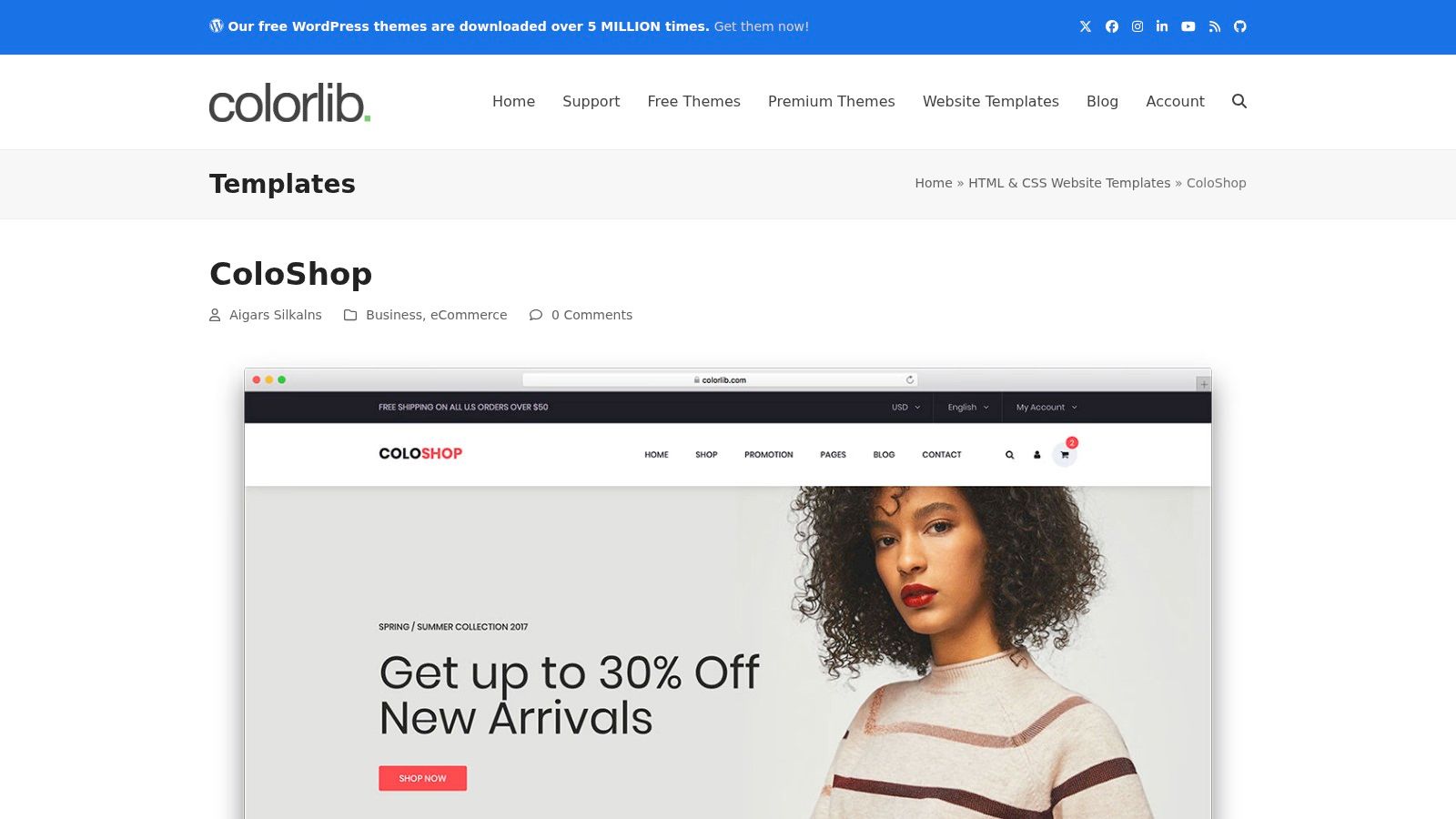
ColoShop is the kind of free template that can surprise a team in a good way. It feels closer to a full storefront skin than a bare starter, with home, category, product, and cart or checkout sections bundled into the design. That matters because many free templates stop at the product grid and leave the rest of the transaction path to you.
Use it when you want a production-shaped prototype for fashion, apparel, accessories, or a general shop layout. The pages are downloadable HTML and CSS assets, so it works well on static hosting or as the front end for a headless checkout setup. The trade-off is that the bundled styles can be opinionated, which means trimming unused assets is usually part of the work.
Where it shines and where it slows you down
- Strong point: It feels complete fast, especially if you need cart and checkout screens in the mockup.
- Design trade-off: You may need to remove or override pieces that don't match your brand.
- License caution: Many Colorlib free templates require CC BY 3.0 attribution, so confirm the usage terms before launch.
- Customization effort: Medium. It's ready to shape into something real, but not ready to ship untouched.
For teams deciding between a tiny starter and a more complete storefront, ColoShop sits in the middle in a useful way. It gives you enough of the purchase path to validate a business idea without forcing you into a heavyweight theme system. If the project needs visual completeness more than minimal code, this is one of the better choices.
3. Colorlib – Fashe free HTML version
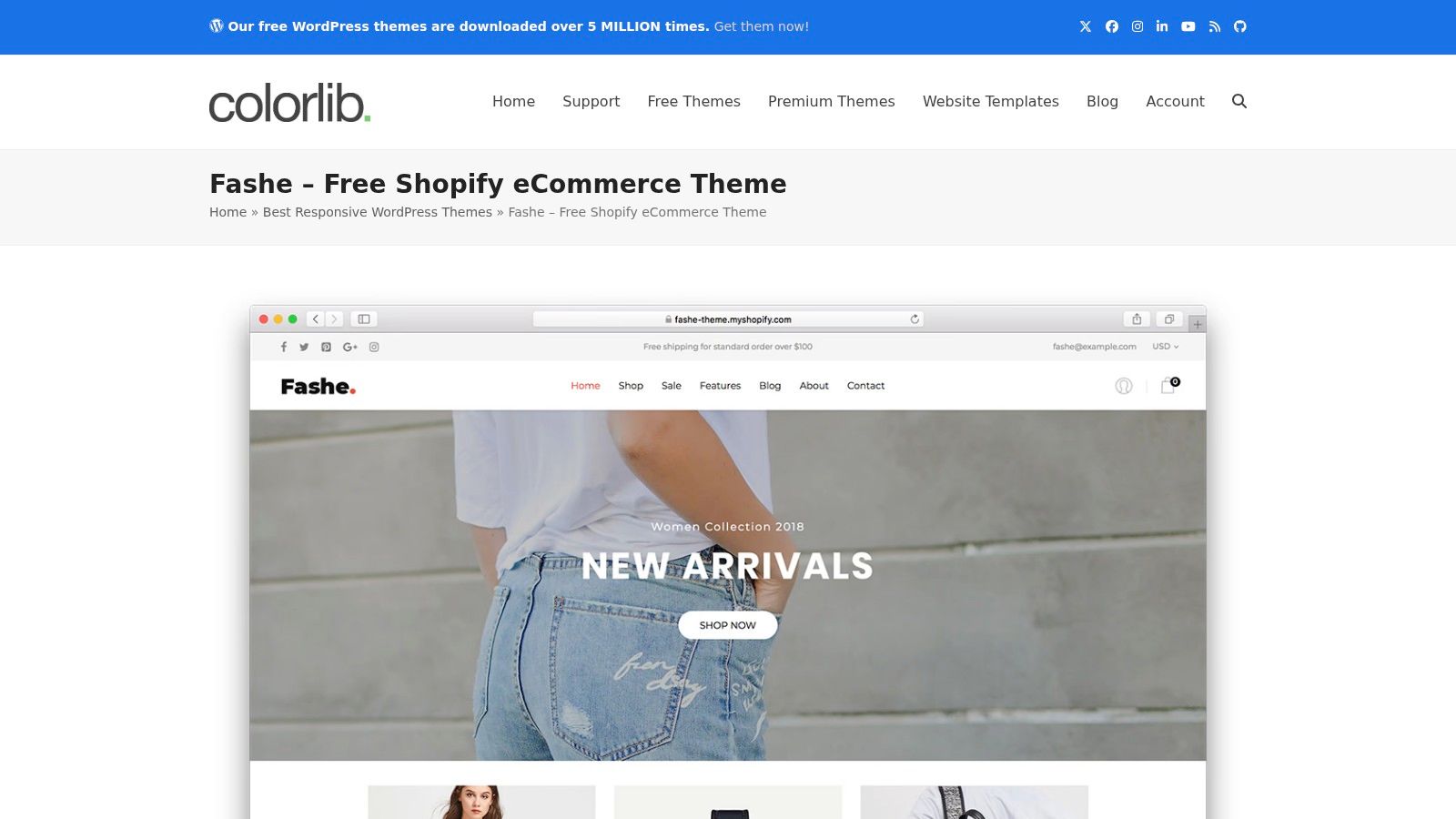
Fashe is the pick for teams that care about retail polish more than raw minimalism. The fashion styling is more deliberate than in many free templates, and the layout includes product listing and product detail pages, plus blog pages that help blend content and commerce. That's useful if the store needs editorial support, not just a grid of items.
The biggest practical point is to grab the HTML variant, not the Shopify assets. That distinction sounds basic, but it matters when your build plan is a CMS or headless storefront rather than a Shopify theme workflow. If your team wants a static front end to connect later, Fashe gives you a cleaner starting point than many generic downloads.
Good use cases and trade-offs
- Best for: Fashion brands, editorial commerce, CMS-driven storefronts.
- Strong point: The visual language already feels like a retail brand, so there's less styling to invent.
- Weak point: Attribution requirements may apply, so your legal checklist shouldn't be an afterthought.
- Customization effort: Medium. The structure is helpful, but you'll still need brand-specific styling and backend integration.
There's a real difference between a template that looks nice in a screenshot and one that supports the way merchants sell. Fashe leans into the second category by giving you content blocks that work for both product storytelling and conversion-oriented pages. That makes it a better fit than many free themes when the store also needs a blog or campaign content.
Open Fashe's free shop theme page
4. Untree – eStore
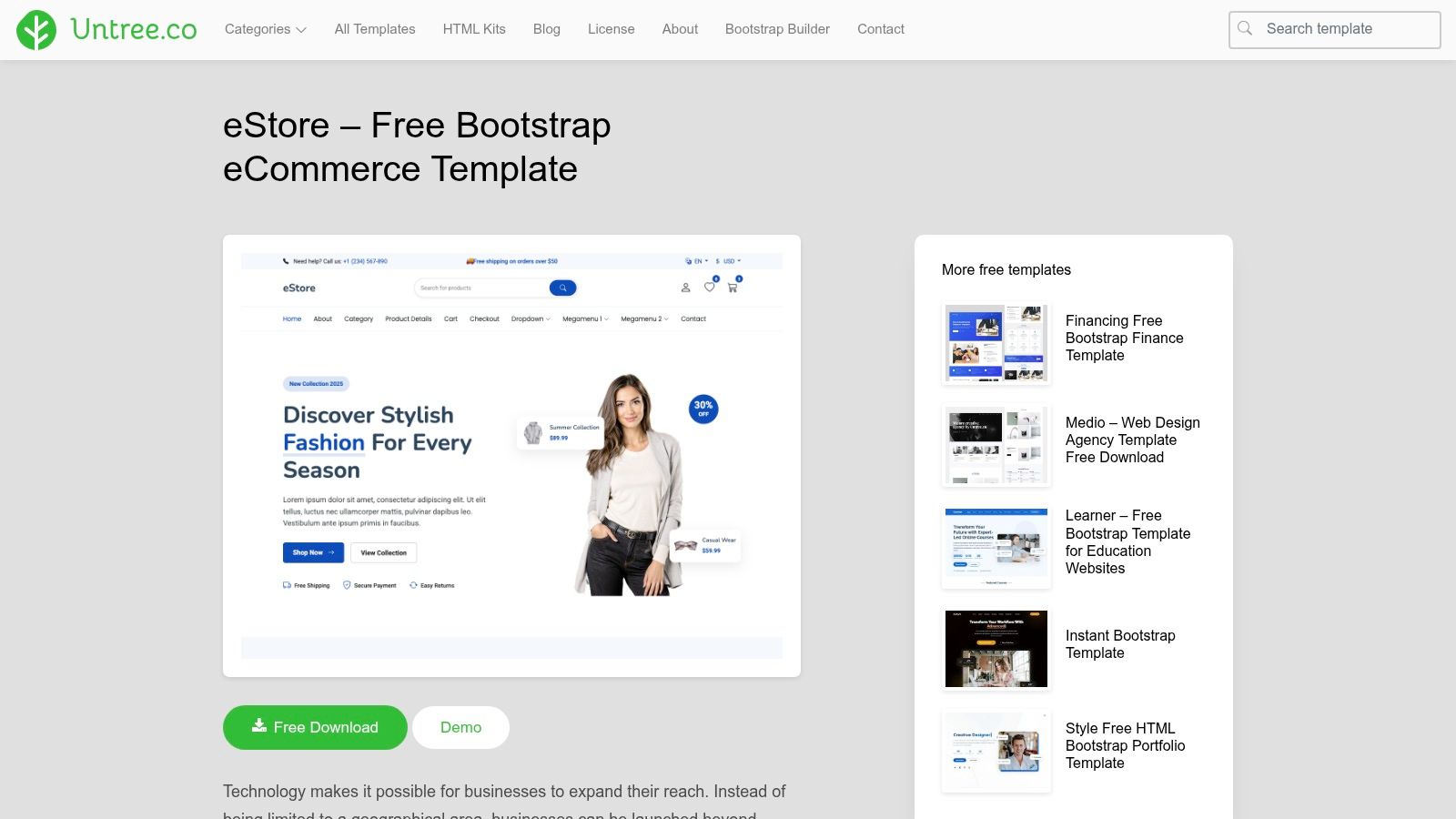
Untree's eStore is a strong fit when the goal is a landing-driven commerce page that still feels modern. The design uses motion and polished presentation without becoming overbuilt, which makes it a good match for small catalogs, campaign launches, and storefronts that will rely on an external checkout flow.
The template's appeal is mostly in restraint. It gives you product grid, single product, and cart or call-to-action sections, then stays out of the way. That's valuable when your team already has a payment provider or headless commerce layer and just needs a front end that doesn't fight the integration.
When to pick it
If you need a storefront that looks designed, but you still want to own the logic, eStore is easier to strip down than a heavyweight theme.
- Good for: Simple catalogs, product launches, JAMstack stores.
- Helps with: Fast design decisions, cleaner content hierarchy, lightweight builds.
- Watch out for: You still need your own cart and checkout integration.
- Customization effort: Low to medium. Styling work is usually modest, but commerce wiring is still on you.
For a team that wants speed without a generic look, eStore is a smart middle ground. It's less rigid than a big template pack and more opinionated than a blank Bootstrap scaffold. If you're building a small storefront around a focused product set, that balance is often exactly what you want.
See the Untree eStore template
5. Untree – Furni (Bootstrap 5)
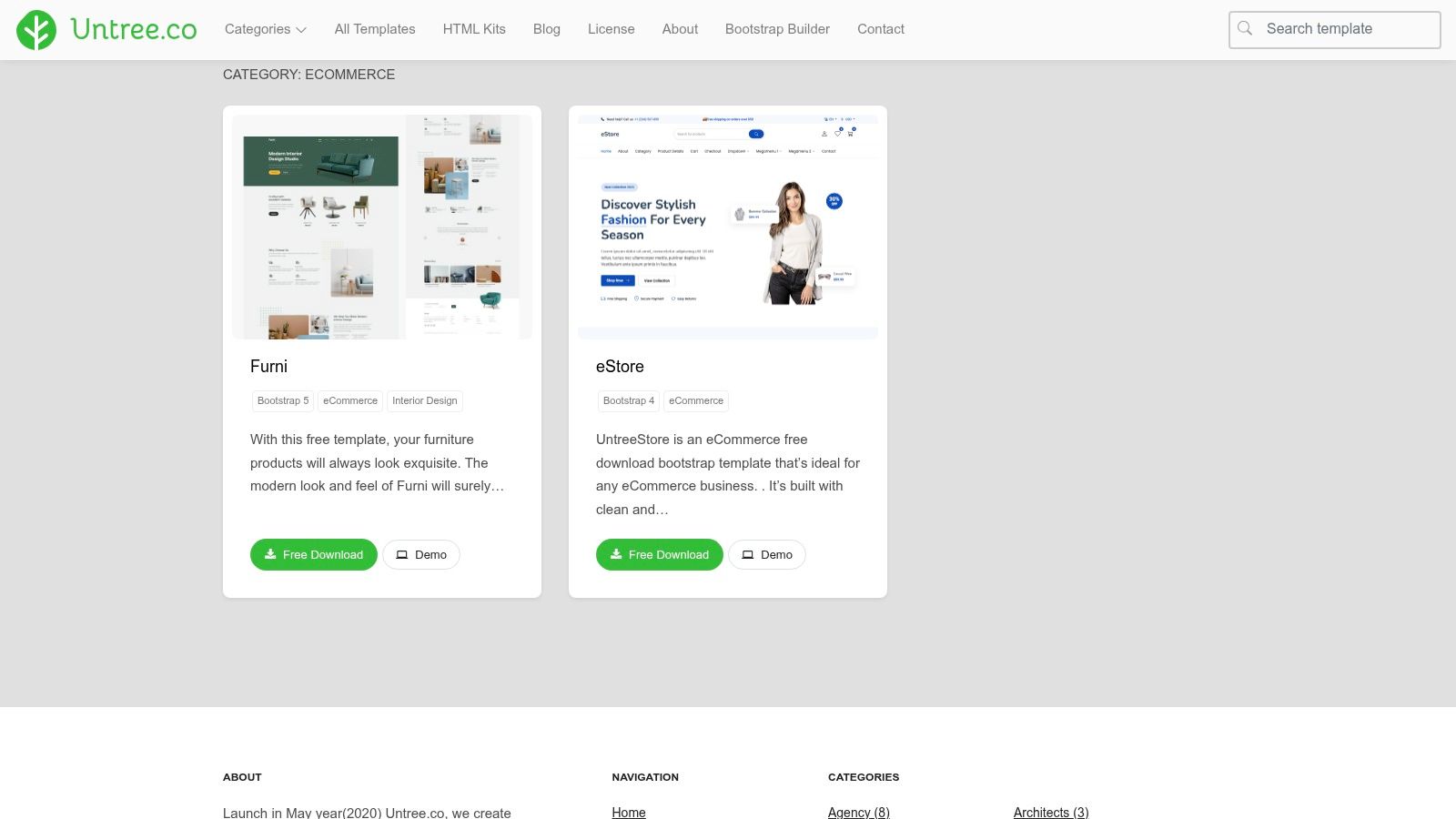
Furni is the template I'd hand to a team selling furniture, interiors, or home goods when product photography matters as much as copy. The layout uses whitespace well, which helps large-item catalogs avoid the cramped look that kills visual confidence. It also includes service and benefits blocks, so shipping, returns, and trust signals can live near the shopping path instead of being buried.
Because it's built on Bootstrap 5, it fits modern responsive work better than older Bootstrap 4-era freebies. That matters in practice because Bootstrap 5 removes the jQuery dependency common in older templates, which reduces friction for current stacks and tends to make future customization less awkward. For catalog-heavy projects, that difference is often more important than the prettiness of the demo.
Best use and effort assessment
- Best for: Furniture stores, interiors brands, catalog-first commerce.
- Strong point: The information hierarchy is already sensible for larger, image-heavy products.
- Weak point: The niche styling may need to be neutralized if you're not selling home goods.
- Customization effort: Medium. The layout is good, but category adaptation still takes deliberate design edits.
This is one of those templates that can save design time if the product category matches. If the category doesn't match, the same visual strengths can become a constraint because the default tone is distinctly furniture-oriented. Pick it when that tone helps the sale, not when you want a universal storefront shell.
Browse the Furni Bootstrap 5 collection
6. ThemeWagon – Booksaw (Bootstrap 5)
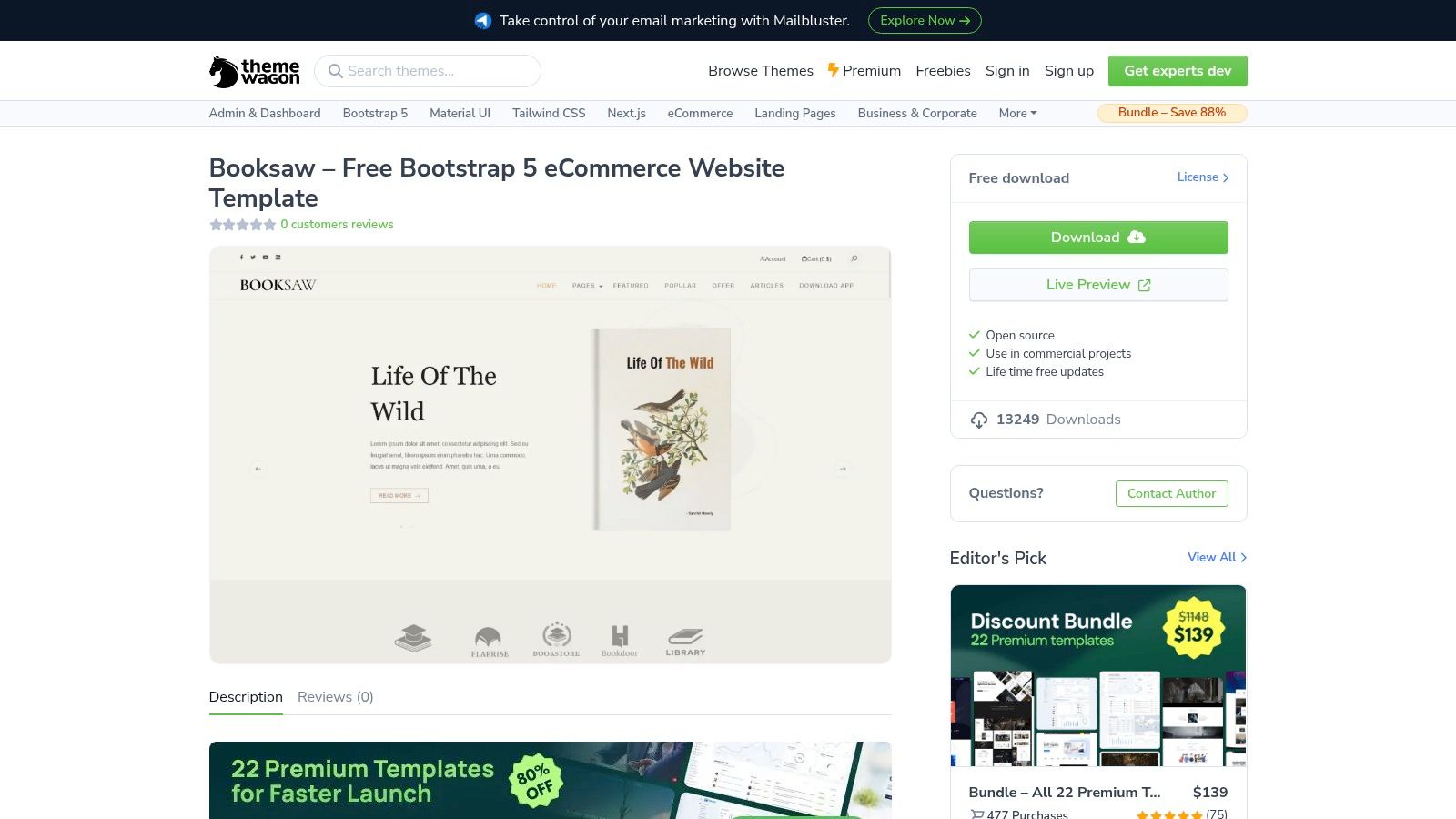
Booksaw is narrower in concept, and that's why it's useful. The bookstore styling gives you a strong fit for books, courses, and other text-heavy SKU sets, where the product page has to carry more metadata than imagery. The template is built with Bootstrap 5, HTML5, and CSS3, and ThemeWagon positions it around responsive layouts and page-speed awareness.
That combination makes it easier to adapt for catalog types that rely on descriptions, categories, and newsletter capture. If you're building an educational storefront, a digital download shop, or a bookstore that needs editorial frictionless browsing, Booksaw generalizes better than you'd expect from a niche design. The thing to watch is attribution, because the free version requests it.
Useful traits and trade-offs
- Good fit for: Books, courses, digital products, training catalogs.
- Strong point: It's easy to repurpose the headings, metadata, and category blocks.
- Weak point: There are fewer variants than in premium packs.
- Customization effort: Low to medium. The structure is straightforward, but page expansion may still take work.
Practical rule: if your products are mostly words with a cover image attached, start with a template like this instead of forcing a fashion layout to behave.
Booksaw also fits a content-heavy growth strategy better than a visually loud theme. That matters because ecommerce doesn't always mean glossy product photography. Sometimes the right template is the one that makes it easy to explain the item clearly.
7. ThemeWagon – Majestic (Bootstrap 5)
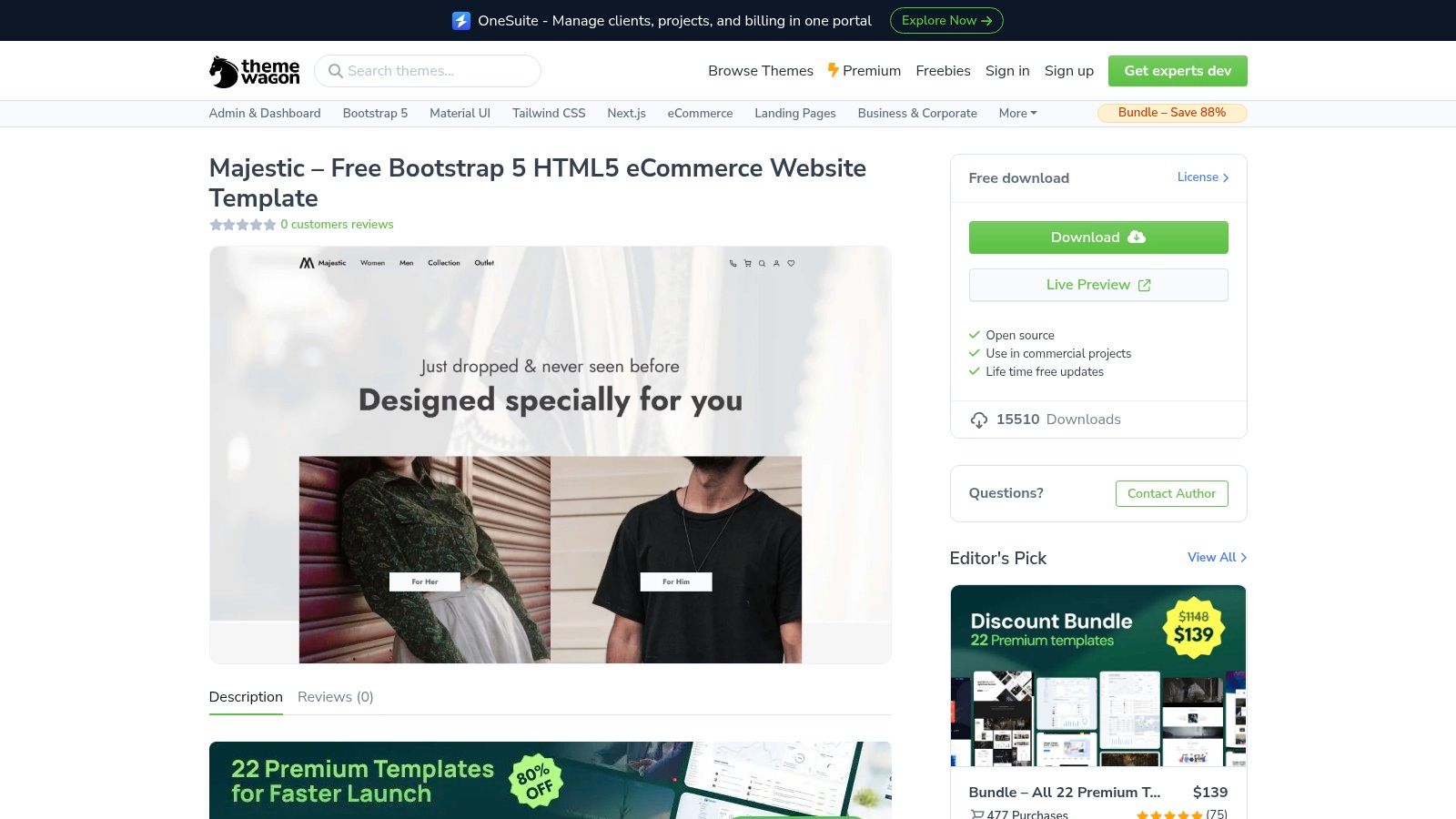
Majestic is the versatile blank slate on this list. It's a general-purpose Bootstrap 5 eCommerce skin with hero sections, filtering areas, product cards, banners, and blog or CTA sections, which makes it easy to retheme without having to first undo someone else's visual identity. That's helpful when the client hasn't finalized branding but the build still needs to move.
For developers, the most valuable part is the modular separation between sections. It makes content editing and component reuse more predictable, especially if you want to assemble multiple page types from the same building blocks. You still need to wire up the cart and checkout logic, but the visual system is flexible enough to support that work.
Why it works in practice
- Best for: General stores, agencies, modular storefront builds.
- Strong point: Easy to retheme and rearrange.
- Weak point: The free version usually includes fewer page variants.
- Customization effort: Medium. The structure is adaptable, but the template won't make product strategy decisions for you.
Majestic is often the better choice than a highly themed download when the project scope is still in flux. The template doesn't overcommit to a category, so it's easier to steer. That flexibility is a real asset when the client's brief is evolving week by week.
8. TemplatesJungle – Kaira Bootstrap 5 Fashion Store
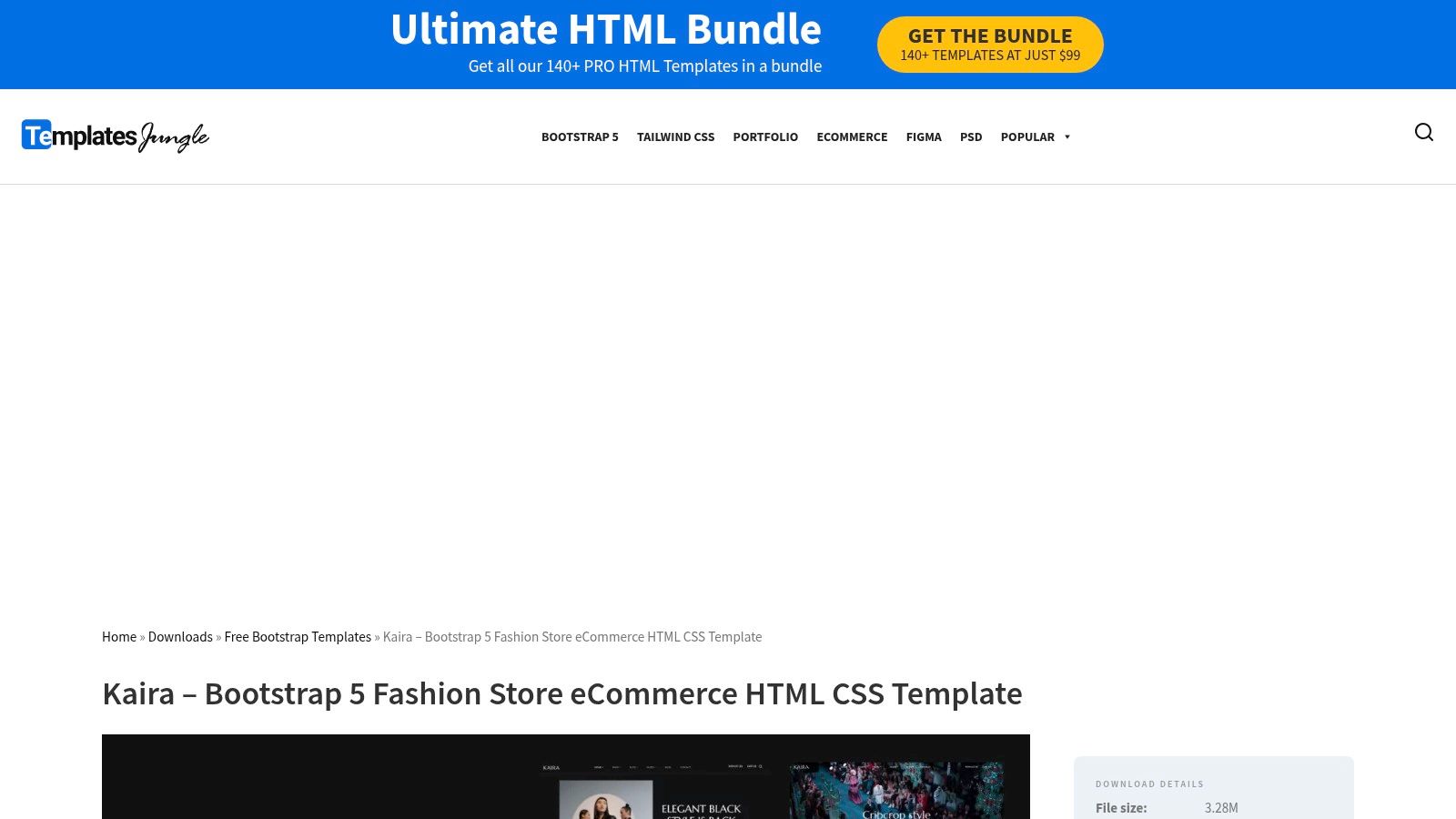
Kaira is one of the better choices when handoff friction matters. It combines a Bootstrap 5 fashion store template with a free Figma file, which is useful when the designer and developer both need a shared source of truth. That kind of paired asset set saves time because the HTML and visual intent stay closer together.
The fashion orientation is clear, with modern product cards, category pages, and marketing banners built in. That's good if you're selling apparel or accessories, but it also means image optimization matters more than it would in a text-heavy category. The design is attractive out of the box, which can be a blessing or a burden depending on how much you want to customize.
What to expect
- Best for: Apparel, fashion catalogs, design-led storefronts.
- Strong point: HTML plus Figma gives both sides of the team a starting point.
- Weak point: The default imagery can be heavy, so performance tuning matters.
- Customization effort: Medium. Visual alignment is easier, but image optimization and page trimming still take time.
A template like this is strongest when the brand already has a visual system. If the brand is still fuzzy, the style can do too much work before the product story is clear.
Kaira makes the most sense for teams who care about handoff and consistency. It's not the smallest starter on the page, but it is one of the more practical ones when design and implementation need to stay aligned.
Open the Kaira template download
9. GrayGrids – ShopGrids Bootstrap 5 eCommerce UI Kit and Template
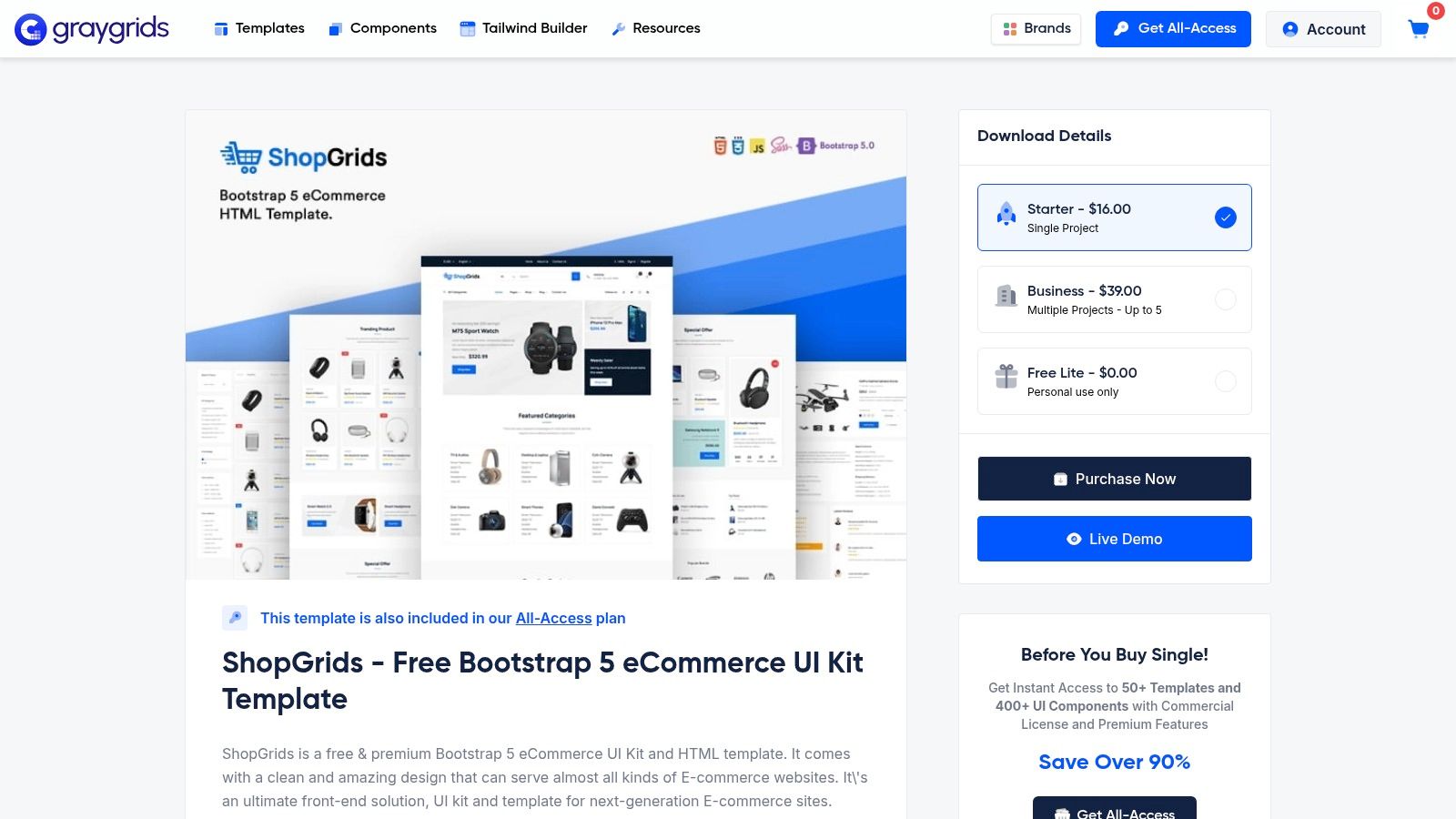
ShopGrids is a better fit than a monolithic theme when you want a component kit instead of a single visual opinion. It includes headers, product cards, filters, CTAs, and multiple page templates, so you can assemble pages from reusable sections rather than starting from one fixed homepage. That makes it especially practical for teams that prototype several navigation or layout ideas before settling on one.
The free and premium split does matter here, because some assets are gated behind the paid tier. Even so, the free side is still valuable if your main goal is to move quickly through UX options. The separate UI kit mindset also makes it easier to adapt the system across category, product, and blog pages without making every page feel like a clone.
When it beats a standard template
- Best for: Teams that want components more than one homepage design.
- Strong point: Faster experimentation across page types.
- Weak point: You still need to define information architecture.
- Customization effort: Medium. The building blocks are helpful, but the strategy work is still yours.
Practical rule: use a kit like this when the client keeps asking for “just one more layout option.” It's easier to change sections than to keep tearing apart a full theme.
ShopGrids feels like a developer's compromise between a static template and a full design system. That's a good thing when the project is still forming and the team needs flexibility without starting from scratch.
Visit the ShopGrids template page
10. HTML Codex – Bootstrap Shop Template EShopper
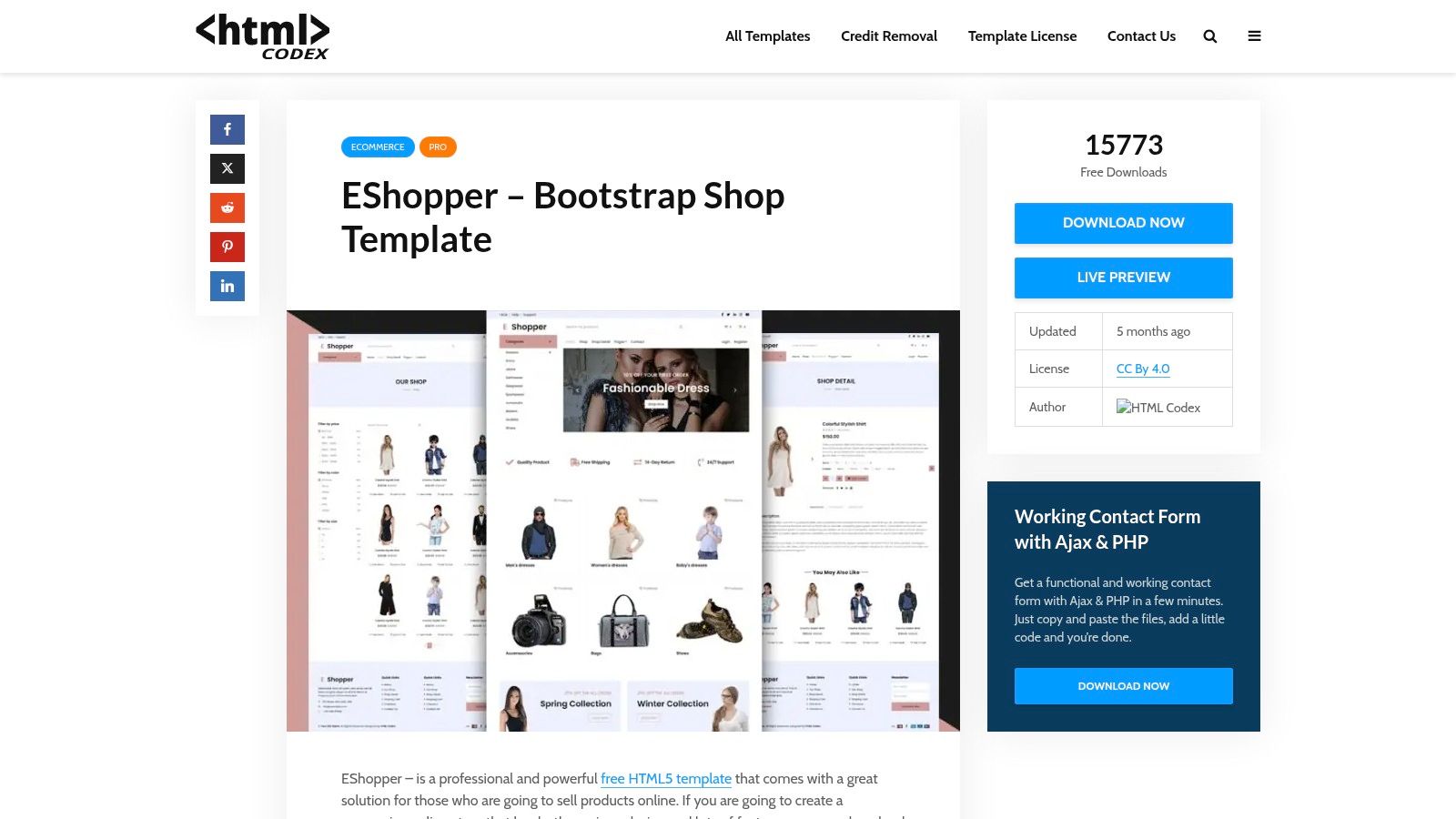
EShopper is one of the most conventional choices here, and conventional is often a feature. The template gives you product grids, filtering, product detail pages, sticky navigation, promo banners, and newsletter sections, so the core shopping flow is immediately recognizable to users. That matters because novelty rarely helps conversion on a first build, especially if the team just wants a clean storefront without a learning curve.
The downside is equally clear. The visual system is utilitarian, and older jQuery-based pieces may need replacement if you're moving toward a Bootstrap 5-only stack. If you're the developer carrying the maintenance burden, that's the trade-off, a familiar layout now versus cleaner future upgrades later.
Where it lands on the effort scale
- Best for: General stores, straightforward catalogs, low-friction updates.
- Strong point: The eCommerce patterns are clear and easy to explain to stakeholders.
- Weak point: It usually needs a styling pass before it feels branded.
- Customization effort: Medium. The structure is easy, but the finish work is on you.
For teams choosing between a flashy demo and something they can maintain, EShopper is often the safer call. It doesn't ask for much interpretation, which means fewer surprises once content starts changing and categories multiply.
Open the Bootstrap Shop template
Top 10 Free Bootstrap eCommerce Templates Comparison
| Template | Core features | UX / Quality ★ | Target 👥 | Unique ✨ / 🏆 | Price 💰 |
|---|---|---|---|---|---|
| Start Bootstrap – Shop Homepage (Bootstrap 5) | Clean Bootstrap 5 structure; responsive product cards; separate product-detail template | ★★★★, minimal, stable | 👥 Prototypes, headless frontends, devs | ✨ Very small footprint; MIT license | 💰 Free (MIT) |
| Colorlib – ColoShop | Full home/category/product + cart/checkout skin; Bootstrap responsive | ★★★★, surprisingly complete | 👥 Fashion retailers; static/hosted storefronts | ✨ Includes cart/checkout UI out of the box | 💰 Free (CC BY may apply) |
| Colorlib – Fashe (free HTML) | Fashion typography, product listings, detail pages, blog pages | ★★★★, polished retail aesthetics | 👥 Fashion stores; CMS/headless conversions | ✨ Polished look ready for CMS conversion | 💰 Free (attribution possible) |
| Untree – eStore | Product grid, single product, cart/CTA; smooth animations | ★★★★, designer-forward, lightweight | 👥 Landing-driven stores, JAMstack projects | ✨ Motion-friendly blocks; media-first | 💰 Free |
| Untree – Furni (Bootstrap 5) | Spacious product grids; service/benefits blocks; Bootstrap 5 utilities | ★★★★, photography-first catalog | 👥 Furniture/interior retailers | ✨ Strong info hierarchy for product imagery | 💰 Free |
| ThemeWagon – Booksaw (Bootstrap 5) | Page-speed optimized layouts; category/product templates; newsletter block | ★★★★, fast, content-focused | 👥 Book/course/digital-product sellers | ✨ Optimized for text-heavy SKUs | 💰 Free (attribution requested) |
| ThemeWagon – Majestic (Bootstrap 5) | Hero sections, product filtering, product cards, blog/CTA | ★★★★, versatile blank slate | 👥 General stores, developers needing a rethemeable base | ✨ Modular sections for easy editing | 💰 Free (limited variants) |
| TemplatesJungle – Kaira (Bootstrap 5) | Product/category pages, marketing banners; free Figma asset included | ★★★★, designer + dev friendly | 👥 Apparel catalogs; teams doing design handoff | ✨ Free Figma + HTML for handoff | 💰 Free (page limits possible) |
| GrayGrids – ShopGrids (UI Kit + Template) | Component-rich kit (headers, cards, filters); multiple page templates | ★★★★★, fastest to prototype | 👥 Developers/teams building composite pages | 🏆 Component-first kit + templates | 💰 Free (some features premium) |
| HTML Codex – Bootstrap Shop Template (EShopper) | Product grids, filtering, sticky nav, promo & newsletter sections | ★★★, conventional, utilitarian | 👥 Basic storefronts, learners, quick edits | ✨ Widely distributed and easy to modify | 💰 Free (may include jQuery) |
From Template to Live Store Your Next Steps
Choosing a template is the first step. Work starts when you adapt it to your brand, your content model, and your checkout path. The free Bootstrap marketplace is deep, and the historical shift from Bootstrap 4 to Bootstrap 5 matters because template quality is tied to framework support, licensing, and how much maintenance you want to inherit later. MDBootstrap's own free eCommerce examples now use the latest Bootstrap 5, while some older freebies still sit on Bootstrap 4 or earlier patterns, so version drift is not a cosmetic issue, it's a compatibility decision (MDBootstrap's eCommerce freebies, the Bootstrap 4 to Bootstrap 5 shift in free templates).
For production work, treat the template as a starter system, not a finished store. Check the license before you commit, especially where free downloads ask for attribution or commercial-use clarity. Then strip unused CSS and JavaScript, because free templates often ship with more assets than your actual storefront needs. If you're connecting to WooCommerce, a headless backend, or a custom cart, plan that integration before you tweak the homepage too much, otherwise the design decisions can box you in.
The most useful selection rule is simple. Pick the template that already matches your commerce shape, whether that's a rapid prototype, a content-led catalog, a fashion store, or a component kit for multiple page types. That choice saves more time than trying to force the cheapest option into a role it was never built for.
If you're building a lightweight store, a product launch page, or a WordPress-based commerce site that needs a clean front end, Vekrumo publishes practical guides that fit this workflow. Visit Vekrumo for more step-by-step content on lean site building, feed stability, and the kind of maintenance habits that keep simple builds from turning into messy ones.
Crafted with the Outrank tool